KEFEYA
KEFEYA Laptop Screen Extender, 14" FHD 1080P Portable Monitor for Laptops, 0.19" Ultra-Thin Laptop Monitor Extender for 13-17" with USB-C/HDMI Port, Plug n Play for Windows/Mac/Android/Switch/PS5
Couldn't load pickup availability
About This
- 🌈【1080P High Quality Image】: With 1920 x 1080P display laptop screen extender brings you richer visuals, clearer text, and enhanced viewing from every angle. Equipped with 300 nits brightness, 1000:1 contrast, 72% NTSC color coverage, providing you with a bright, vivid, and immersive viewing experience, and friendly eye protection, relieving fatigue, it is almost no different from what is displayed on your laptop.
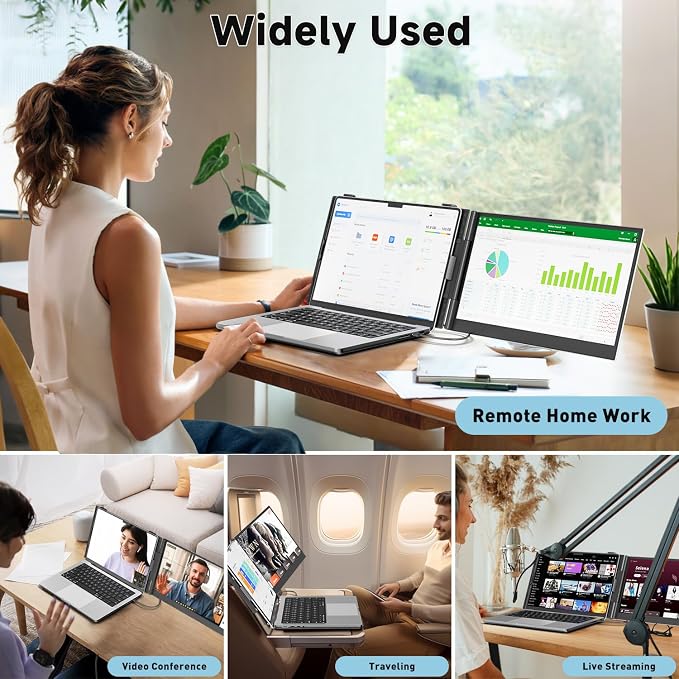
- ⚡️【Boost Your Productivity By Up to 200%】:The dual laptop monitor extender offers multiple display modes, including extended, mirrored, and portrait modes. Supports you to open multiple windows at the same time, work, video conference, watch movies, or play games on different screens by not having to switch back and forth on a single laptop screen continuously, increase your efficient by up to 200%. Perfect for people who work on the go, remote workers, watch a movie,IT professionals, Players, Stock traders, Programmers, game players, etc!
- 📟【Broad Compatibility & Ultra Thin and Lightweight】This portable laptop screen extender can work with almost all laptop which has full-featured USB-C port(support charge and video transmit) or HDMI port, offering broad compatibility with Windows, Chrome, Mac, Android, Linux, Dex, PS4, Xbox, and Switch. 4.5 mm(0.19") thick /1.3 lbs weight. The ultra-thin and super lightweight design of the laptop will not fall off even without the kickstand. Perfect for people who travel frequently!
- 💻【Easy Operation & Plug and Play 】:Portable monitor for laptop comes with every cable needed(1* Type-C Cable, 1* HDMI Cable, 1* USB-C to USB-A Cable). You just need to connect the monitor extension for laptop via one USB-C to USB-C cable, or one HDMI add one USB-A directly, without any additional driver needed. Please note to plug the cable into the right port in the back of the monitor extender.
- ❤️【Reliable After-sale Service】:If there are any questions about connection issues, accessories missing, or other situations, please feel free to contact our after-sales service team directly. We are always standing behind the customer and providing customers with satisfactory solutions.
Overview
- Brand : KEFEYA
- Screen Size : 14 Inches
- Resolution : FHD 1080p
- Aspect Ratio : 16:9
- Screen Surface Description : Matte
Share

Explore Our Collections
-
Desk Extenders
Sometimes all you need is a little extra space. Our Desk Extenders...
-
Clamp-On Shelves
Need extra storage without taking up valuable desk space? Our Clamp-On Shelves...
-
Side Desk Extensions
A small desk doesn't have to limit your productivity. Our Side Desk...
-
Corner Space Solutions
Corners are often some of the most underused areas of a desk....
-
Under Desk Drawers
A crowded desktop can quickly make even simple tasks feel frustrating. Pens,...
-
Desktop Shelves
A busy desk can quickly become crowded with office supplies, notebooks, devices,...
-
Storage Trays
Small items scattered across a desk can quickly turn an organized workspace...
-
Headphone Holders
Headphones are an essential part of many modern workspaces, but when they...
-
Monitor Risers
A monitor often occupies one of the largest areas on a desk,...
-
Monitor Shelves
A well-organized workspace starts with making the most of the space you...
-
Monitor Top Shelves
When desk space is limited, making use of vertical space can have...
-
Desktop Shelves
A busy desk can quickly become crowded with office supplies, notebooks, devices,...
-
File Organizers
Stacks of papers, notebooks, folders, and documents can quickly take over a...
-
Workspace Organizers
A productive workspace starts with effective organization. When office supplies, devices, cables,...
Customer Review
-
Michael T.
⭐⭐⭐⭐⭐
"I ordered a monitor stand and a clamp-on shelf to free up some desk space. The difference is bigger than I expected. My keyboard, notebooks, and charging cables are finally organized, and the whole setup feels much more comfortable for long work sessions. Definitely worth it." -
Sophia L.
⭐⭐⭐⭐⭐
"I wasn't looking for a complete desk makeover, just a few smart upgrades. Deskora's products helped me maximize every inch of my workspace without making it feel crowded. Everything matches nicely, feels sturdy, and my desk finally looks like a productive workspace instead of a storage area." -
Emily R.
⭐⭐⭐⭐⭐
"I work from home full-time, and my desk always felt too small. After adding a few accessories from Deskora, everything has its own place. My workspace looks cleaner, and I can actually focus without constantly moving things around. Great quality and surprisingly easy to set up."
Blog posts
View all-
Why Does Your Desk Feel Hard to Work At Even Wh...
A desk can contain everything you need and still feel difficult to work at. Poor device placement, overlapping task areas, limited surface space, and ergonomic misalignment can interrupt your workflow....
Why Does Your Desk Feel Hard to Work At Even Wh...
A desk can contain everything you need and still feel difficult to work at. Poor device placement, overlapping task areas, limited surface space, and ergonomic misalignment can interrupt your workflow....
-
Why Does Your Desk Always Feel Too Small for th...
A desk can feel too small when monitors, paperwork, cables, and everyday essentials compete for the same surface. Poor storage and unused vertical space can make the problem worse. Desk...
Why Does Your Desk Always Feel Too Small for th...
A desk can feel too small when monitors, paperwork, cables, and everyday essentials compete for the same surface. Poor storage and unused vertical space can make the problem worse. Desk...
-
Why Does Your Home Office Feel Different at the...
A home office can feel very different at the end of the workday. Clutter, changing light, temperature, and air quality gradually alter how the workspace looks and feels. Mental fatigue...
Why Does Your Home Office Feel Different at the...
A home office can feel very different at the end of the workday. Clutter, changing light, temperature, and air quality gradually alter how the workspace looks and feels. Mental fatigue...